> For the complete documentation index, see [llms.txt](https://developer.siteminder.com/llms.txt). Markdown versions of documentation pages are available by appending `.md` to page URLs; this page is available as [Markdown](https://developer.siteminder.com/siteconnect-api/guides/testing-and-certification.md).
# Testing and Certification
Test your SiteConnect integration and confirm readiness before going live with SiteMinder.
Use this guide to verify that all required integration capabilities are working correctly. Work through the scenarios independently, and when you're confident in your results, notify the Partner Integrations team. We'll review your readiness, prepare your account, and confirm when you can proceed to certification.
## Instructions
This guide provides a series of scenarios to test all required integration capabilities for this API. Some capabilities may be optional — if a scenario does not apply to your integration, skip it and proceed to the next one. Work through each scenario using the resources provided in the Initial Setup section, and use the results to verify your integration is working correctly before requesting certification.
Once all scenarios pass, notify the Partner Integrations team. We will review your results, and if everything looks good, confirm when you can proceed to the formal certification process.
## Initial Setup
Before working through the test scenarios, make sure the following are in place:
1. **Postman collection** — Download and import the [SiteConnect Postman](https://www.postman.com/siteminder-apis/siteconnect/overview) collection.
2. **Test platform access** — You will need access to our test platform, configured and mapped to your booking channel.
3. **Endpoints** — Ensure your endpoint is active and ready to receive requests.
{% hint style="info" %}
SiteMinder will provide credentials for our test endpoints. You will use your own credentials for your endpoint. **Make sure to replace all variables in the Postman collection before running the scenarios.**
{% endhint %}
For certification purposes we have created two basic room types and two basic rate plans that are ready to be mapped to your booking channel. Please create in your system the same room rates combination to start the certification.
{% hint style="info" %}
If your booking channel doesn't support multiple room types and/or multiple rate plans, create them as possible and let us know.
{% endhint %}
## Test Scenarios
### 1. Retrieve Rooms and Rates
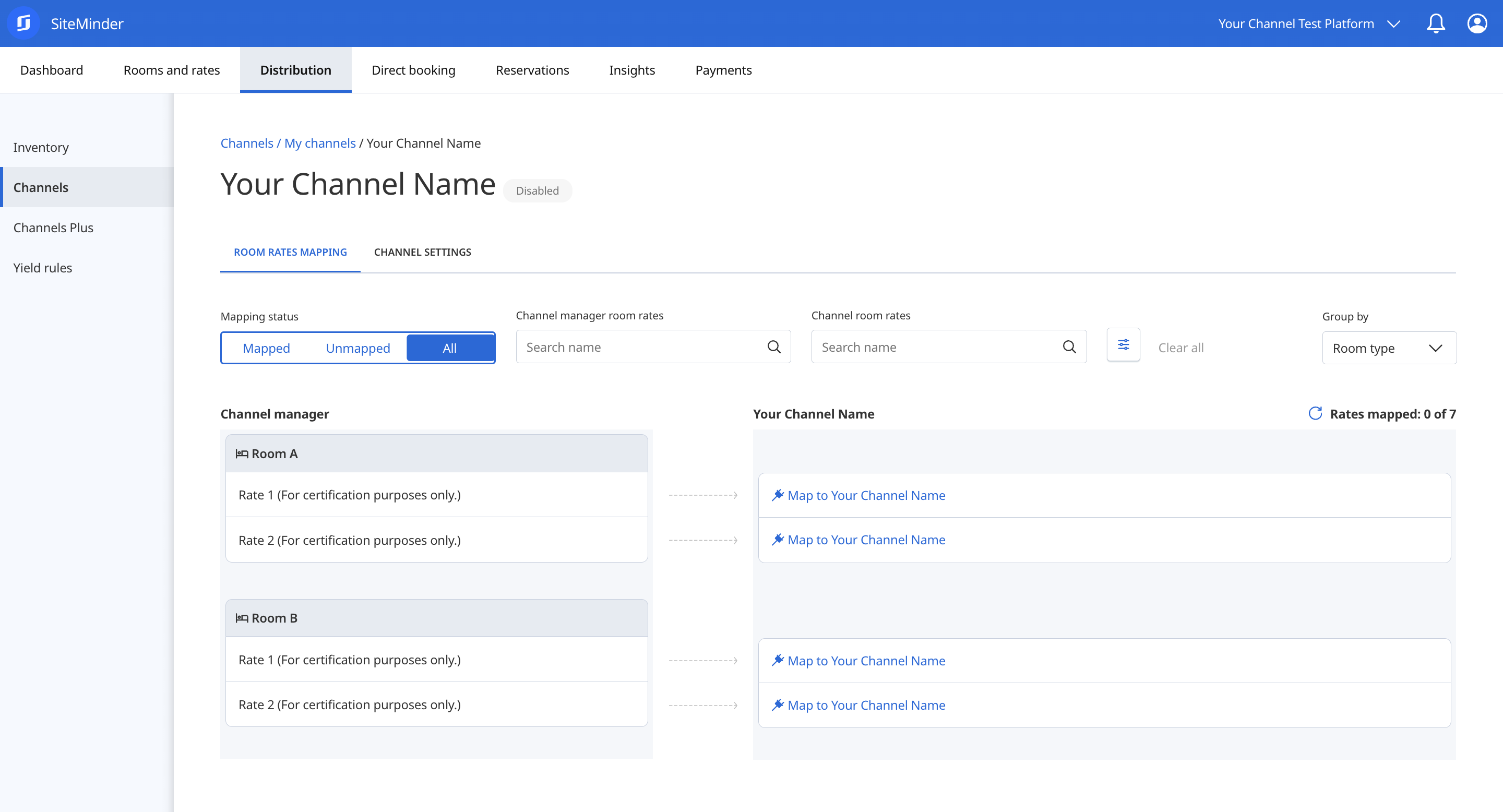
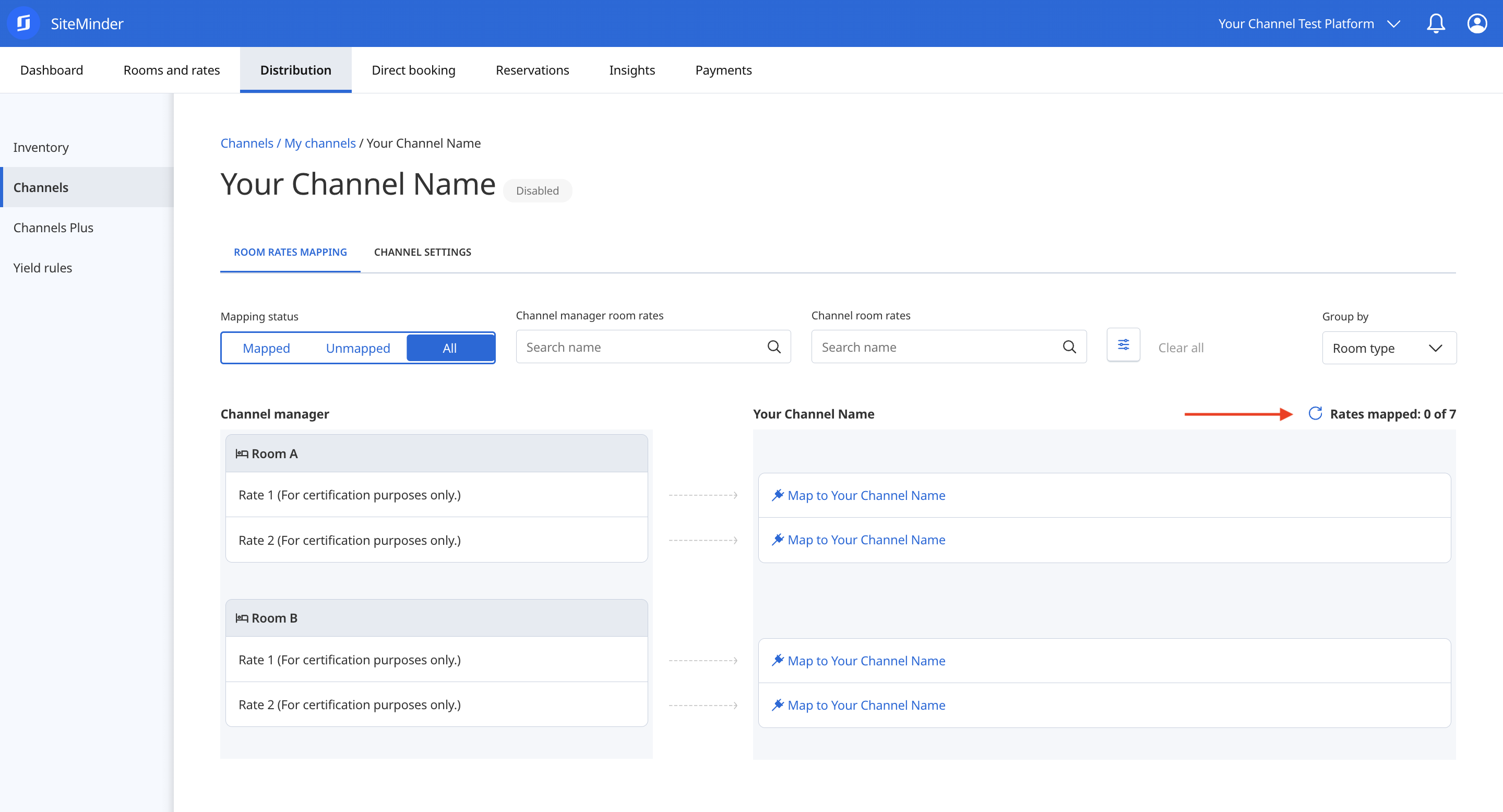
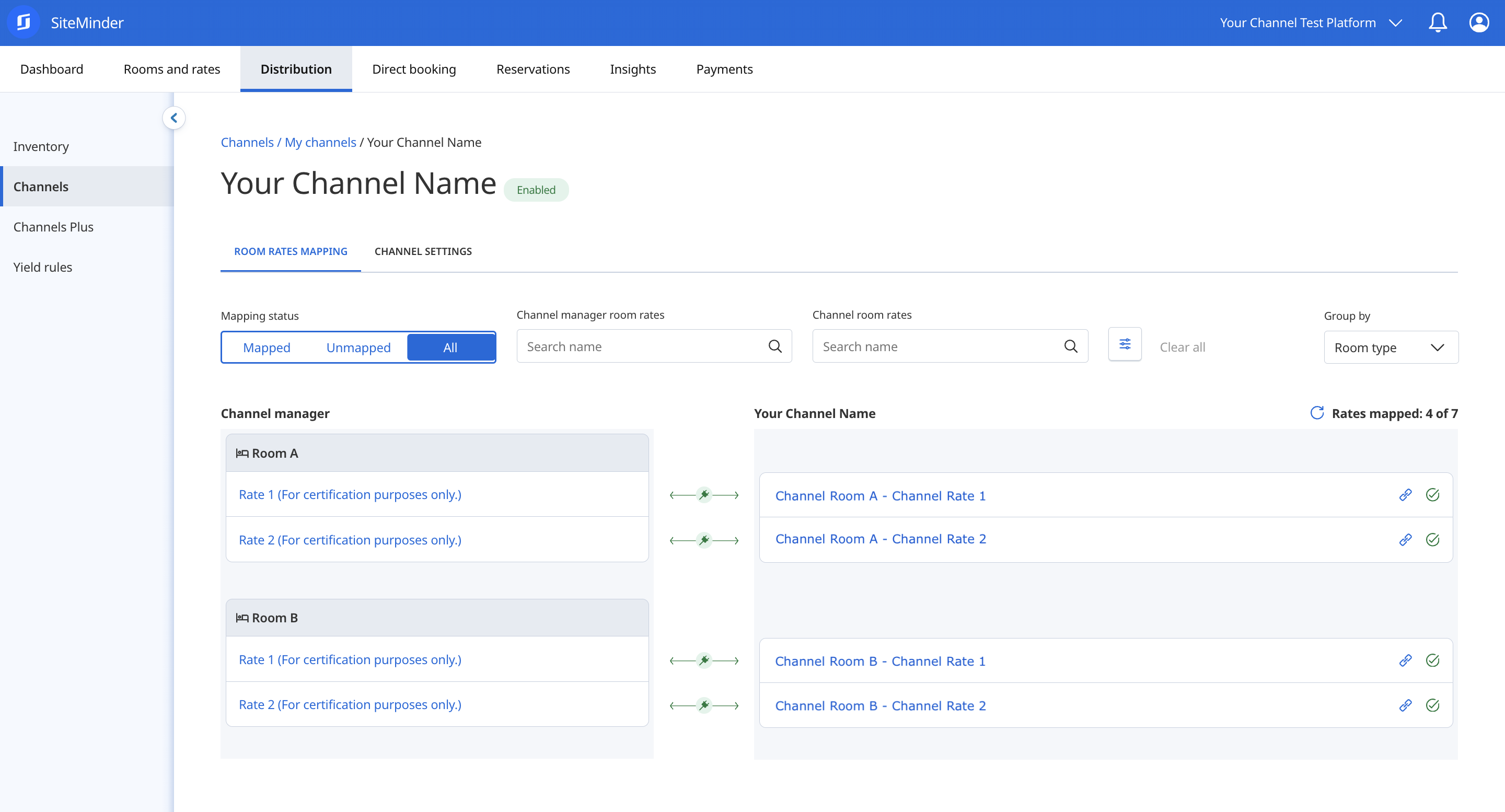
A request is sent to your system each time you access the Room Rates Mapping section of your booking channel in your test Platform. You can trigger a new request by clicking the refresh arrow.
* Ensure that your system provides a `Success` response, displaying all available rooms and rates from your end.
* Confirm that channel room rate names are accurate (e.g., Channel Room A - Channel Rate 1).
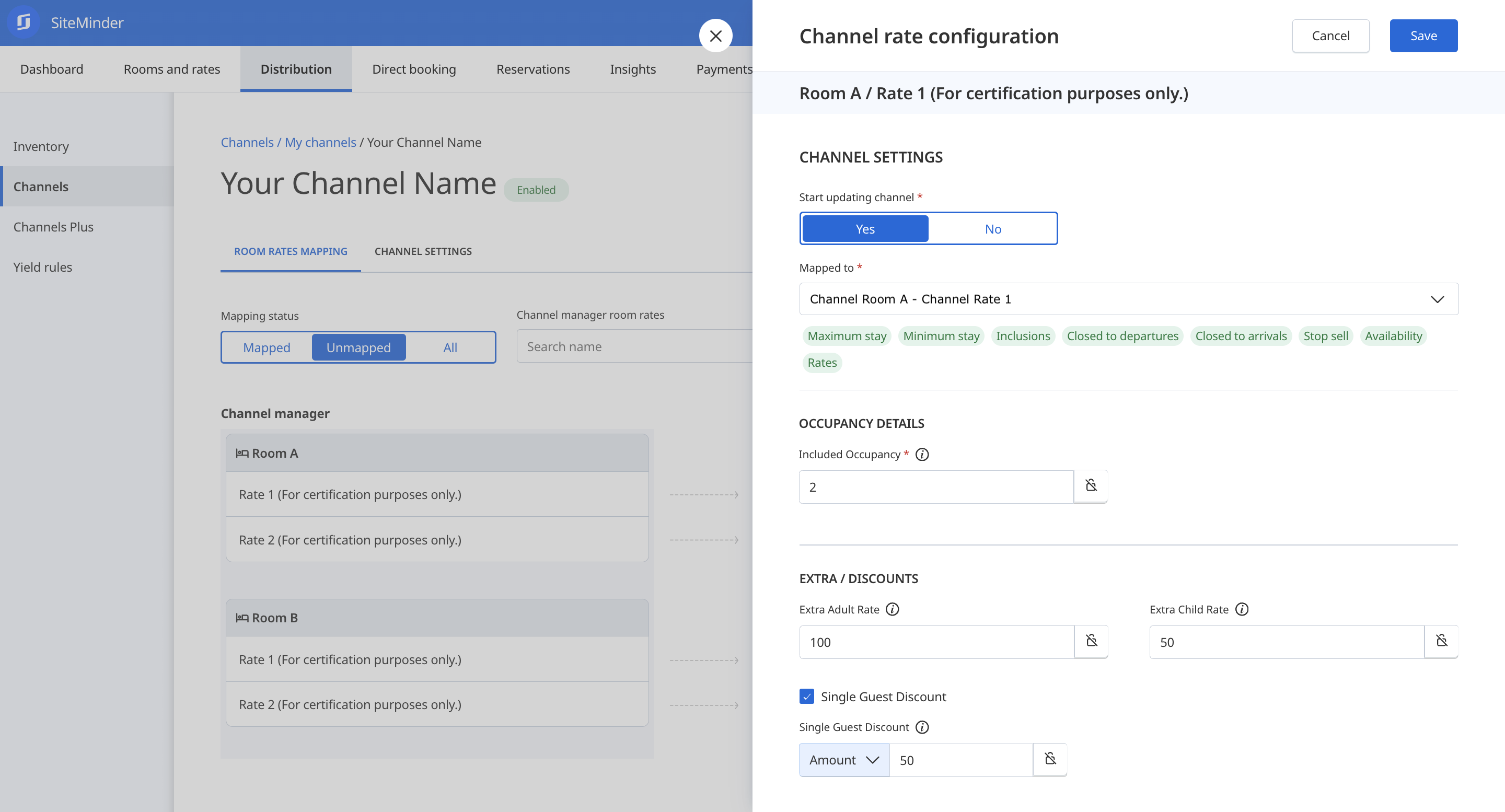
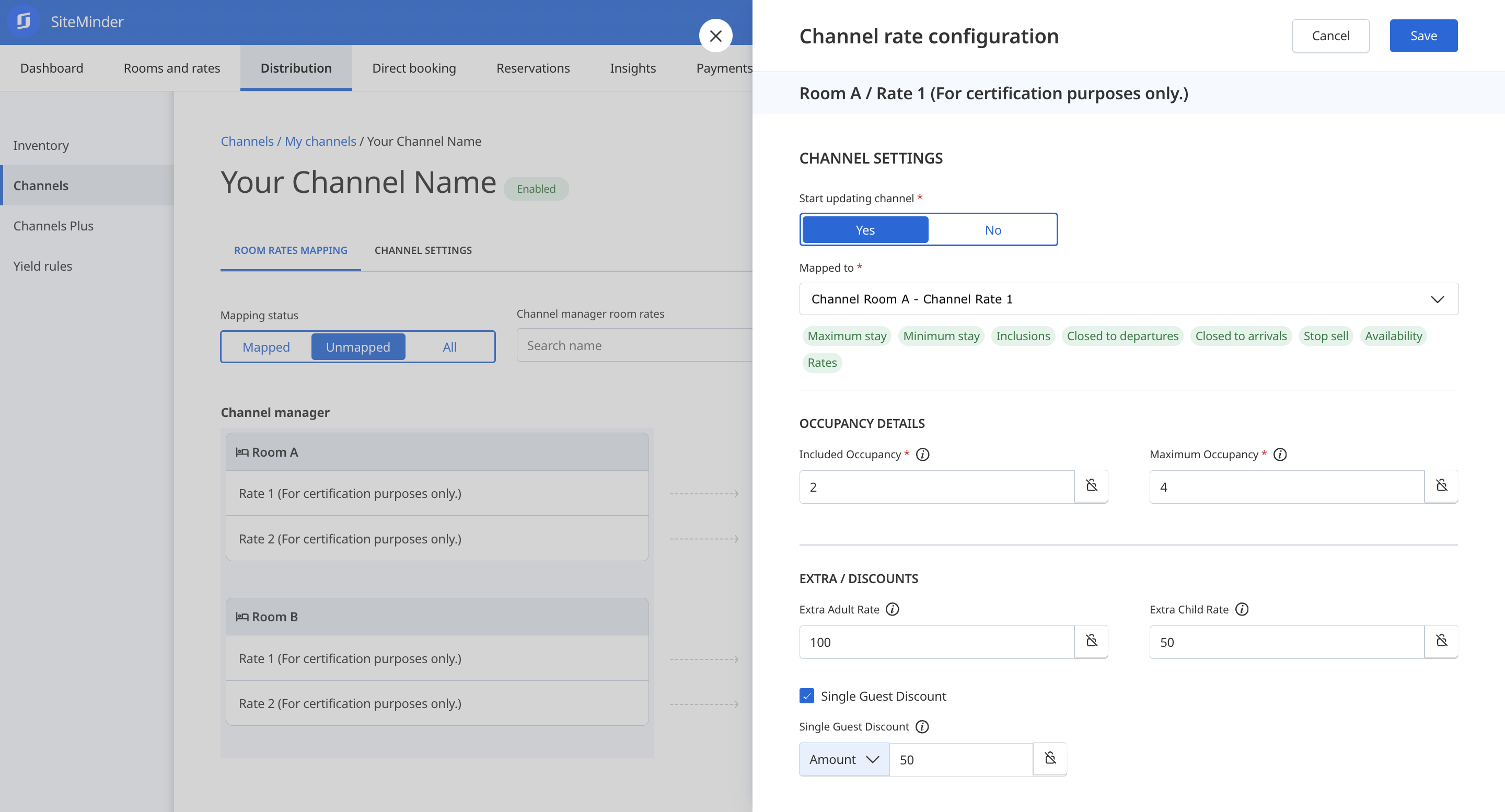
* Complete the mapping of the four rate plans created for certification, adding `Occupancy Details`, `Extra / Discounts` and `Channel Inclusions` if supported.
* **Optional**: Test Additional Details, including `NO_RATES`, `NO_AVAILABILITY`, and `NO_UPDATES`.
{% tabs %}
{% tab title="Unmapped" %}
{% endtab %}
{% tab title="Map a PDP Rate" %}
{% endtab %}
{% tab title="Map an OBP Rate" %}
{% endtab %}
{% tab title="Mapping Completed" %}
{% endtab %}
{% endtabs %}
{% hint style="success" %}
To successfully complete this scenario, you must have retrieved all room rates created on your booking channel. The room rates required for certification must have been mapped on your test Platform.
{% endhint %}
### 2. Bulk Data Update
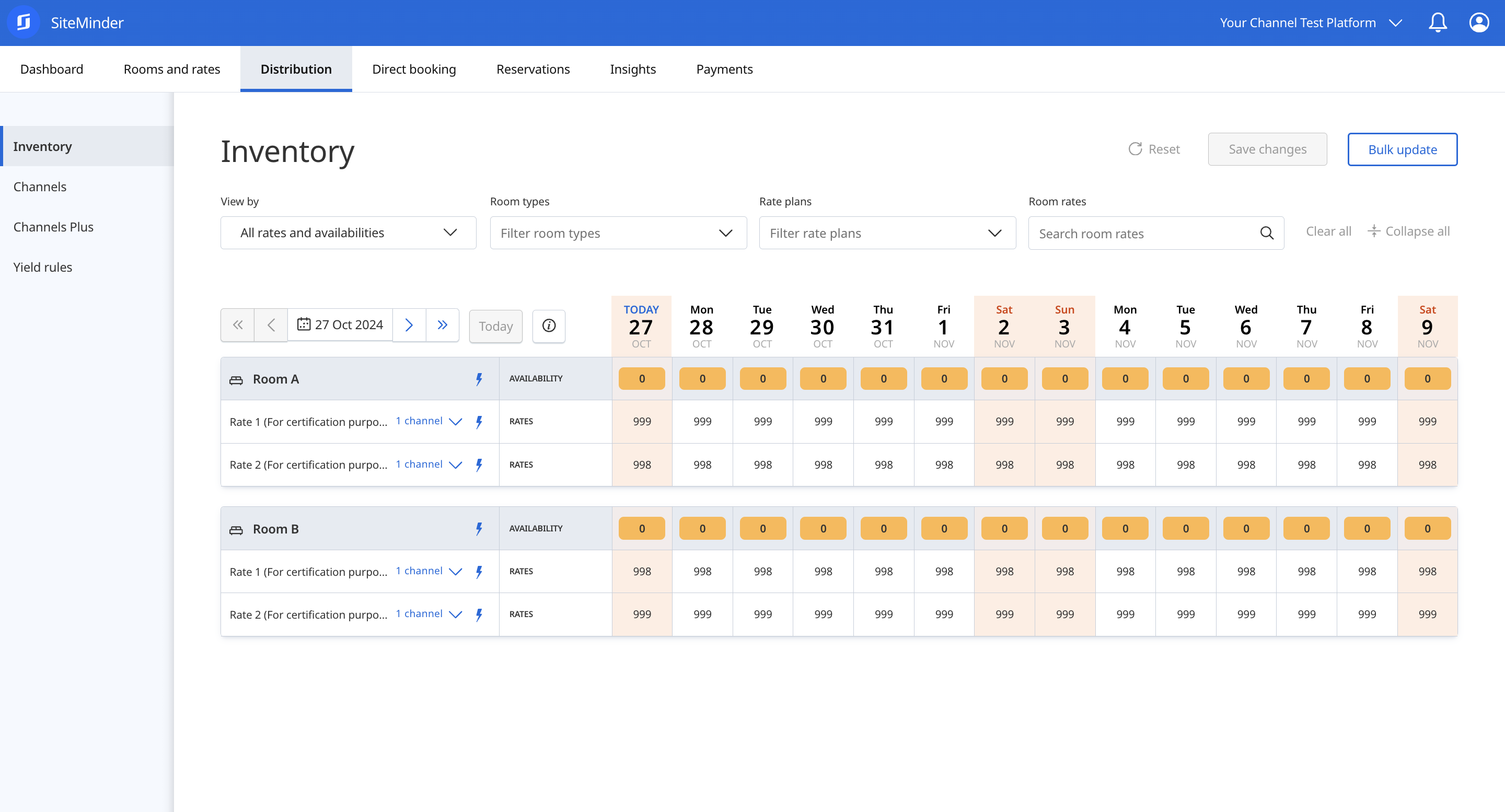
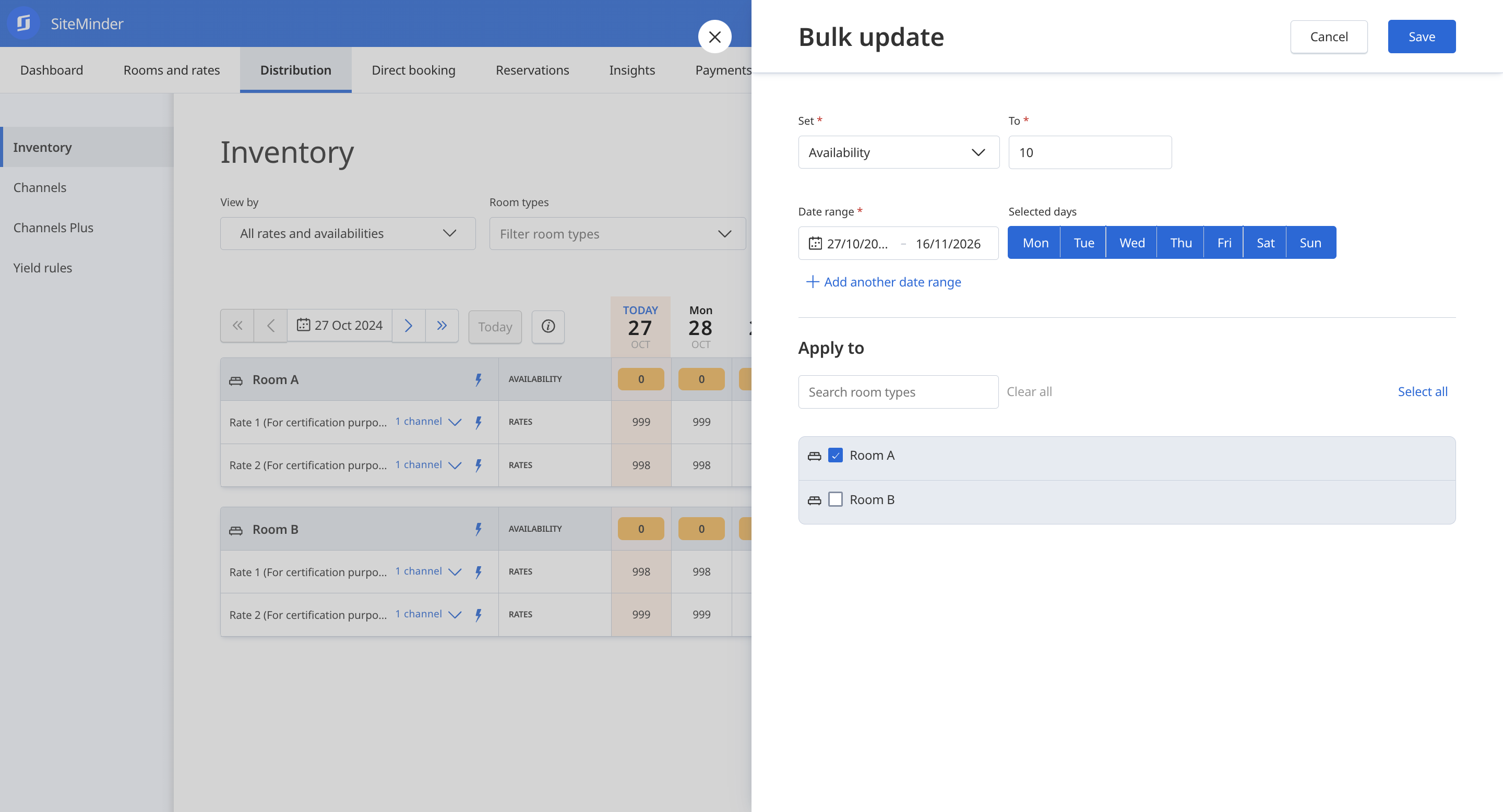
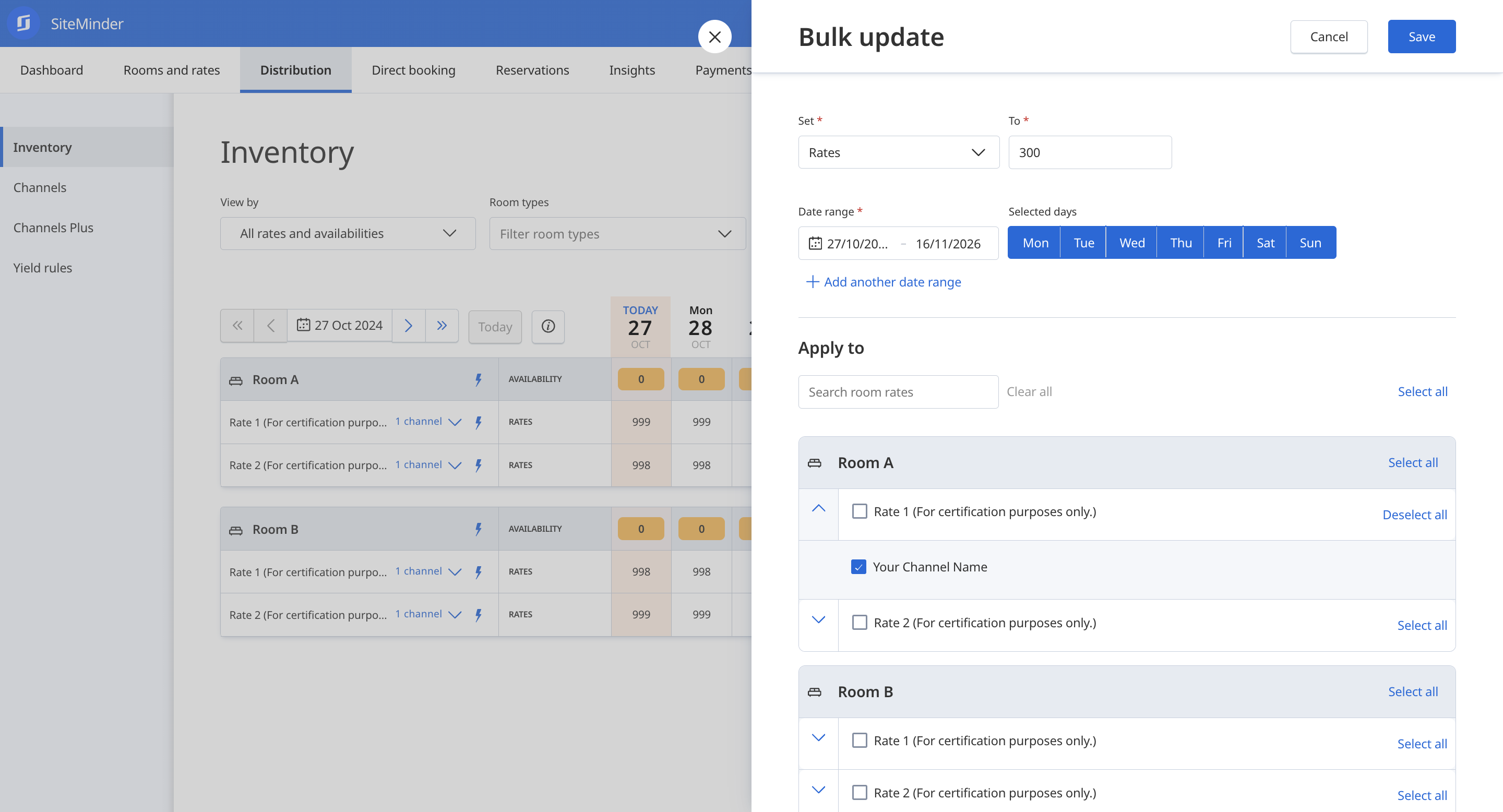
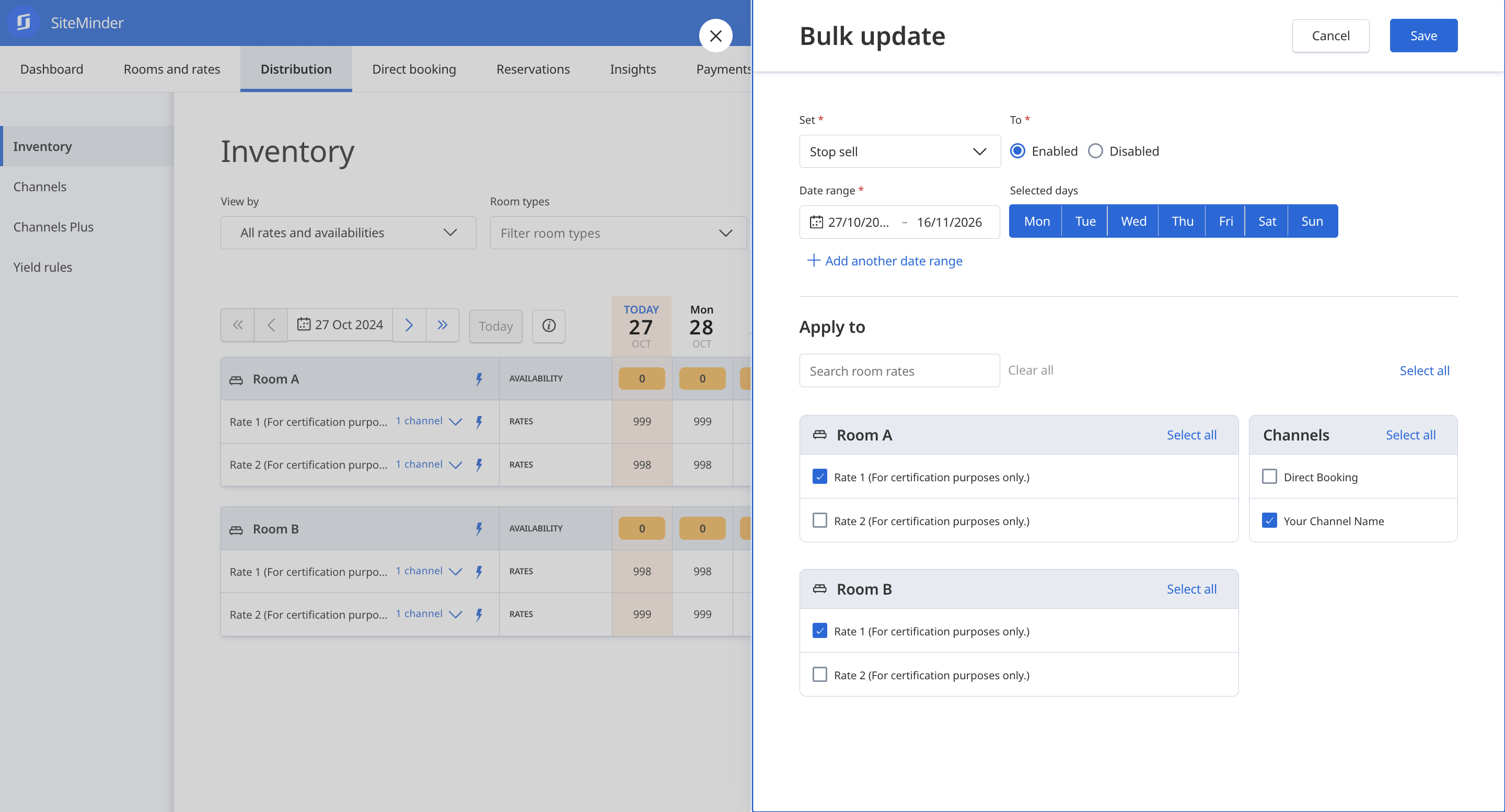
Using the Bulk Update tool, set up Availability, Restrictions, and Rates for the update period configured for your booking channel (e.g., 750 days). These changes will push Availability, Restrictions, and Rates updates to your system, and we expect successful responses. See some examples below:
{% tabs %}
{% tab title="Initial Inventory" %}
{% endtab %}
{% tab title="Setting Availability" %}
{% endtab %}
{% tab title="Setting Rates" %}
{% endtab %}
{% tab title="Setting Stop Sell" %}
{% endtab %}
{% endtabs %}
### **- Availability**
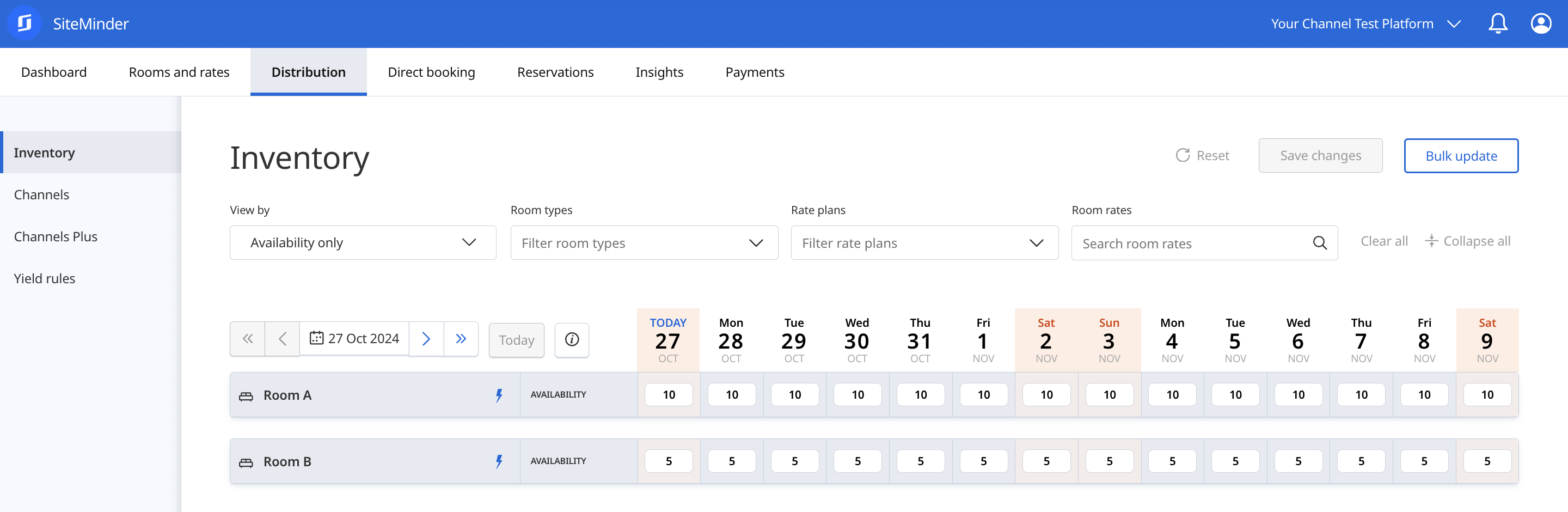
Set availability for both room types starting from today for the update period supported by your booking channel (e.g., 750 days).
| Room Type | Date | Value |
| --------- | ------------------ | ----- |
| Room A | Full Update Period | 10 |
| Room B | Full Update Period | 5 |
### **- Rates**
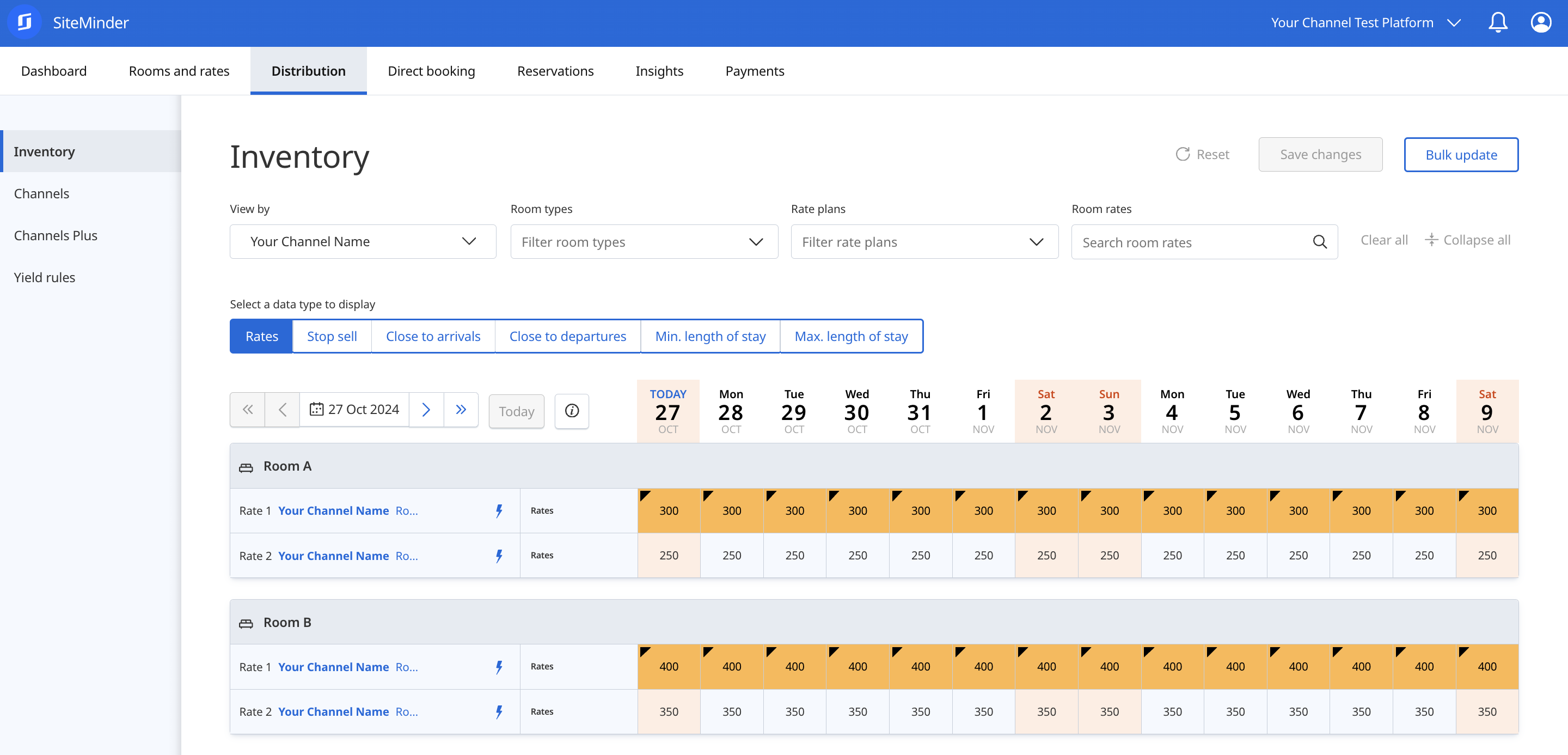
Set rates for all four room rates starting from today, covering the update period supported by your booking channel (e.g., 750 days).
| Room Type | Rate Plan | Date | Value |
| --------- | --------- | ------------------ | ----- |
| Room A | Rate 1 | Full Update Period | 300 |
| Room A | Rate 2 | Full Update Period | 250 |
| Room B | Rate 1 | Full Update Period | 400 |
| Room B | Rate 2 | Full Update Period | 350 |
{% hint style="info" %}
The values above represent the base amount for each rate. Additional amounts are included in the request if `Occupancy Details` and `Extra / Discounts` are configured during the mapping setup.
{% endhint %}
### **- Stop Sell**
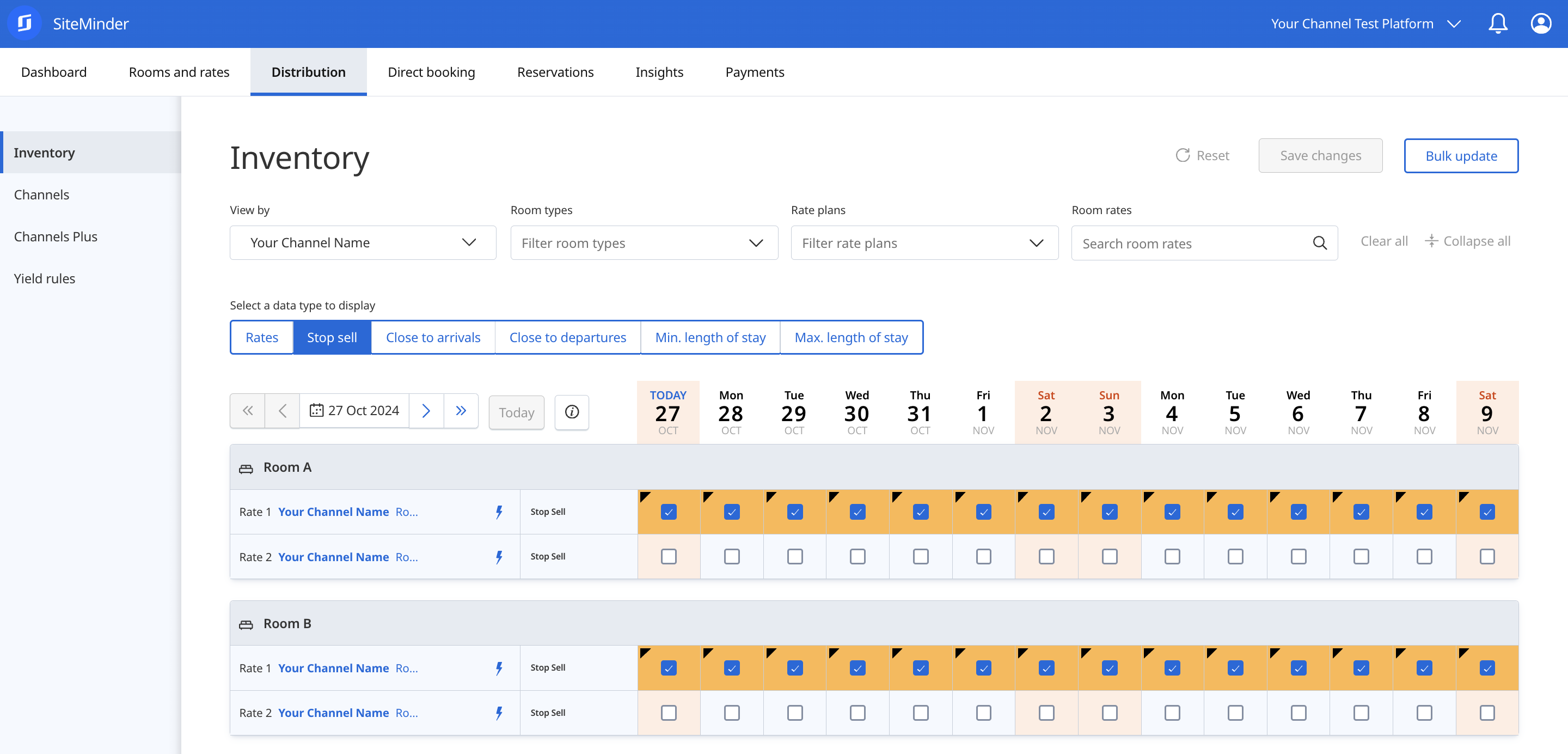
Set stop sell for all four room rates starting from today, covering the update period supported by your booking channel (e.g., 750 days).
| Room Type | Rate Plan | Date | Stop Sell |
| --------- | --------- | ------------------ | --------- |
| Room A | Rate 1 | Full Update Period | Enabled |
| Room A | Rate 2 | Full Update Period | Disabled |
| Room B | Rate 1 | Full Update Period | Enabled |
| Room B | Rate 2 | Full Update Period | Disabled |
### **- Close to Arrival (CTA)**
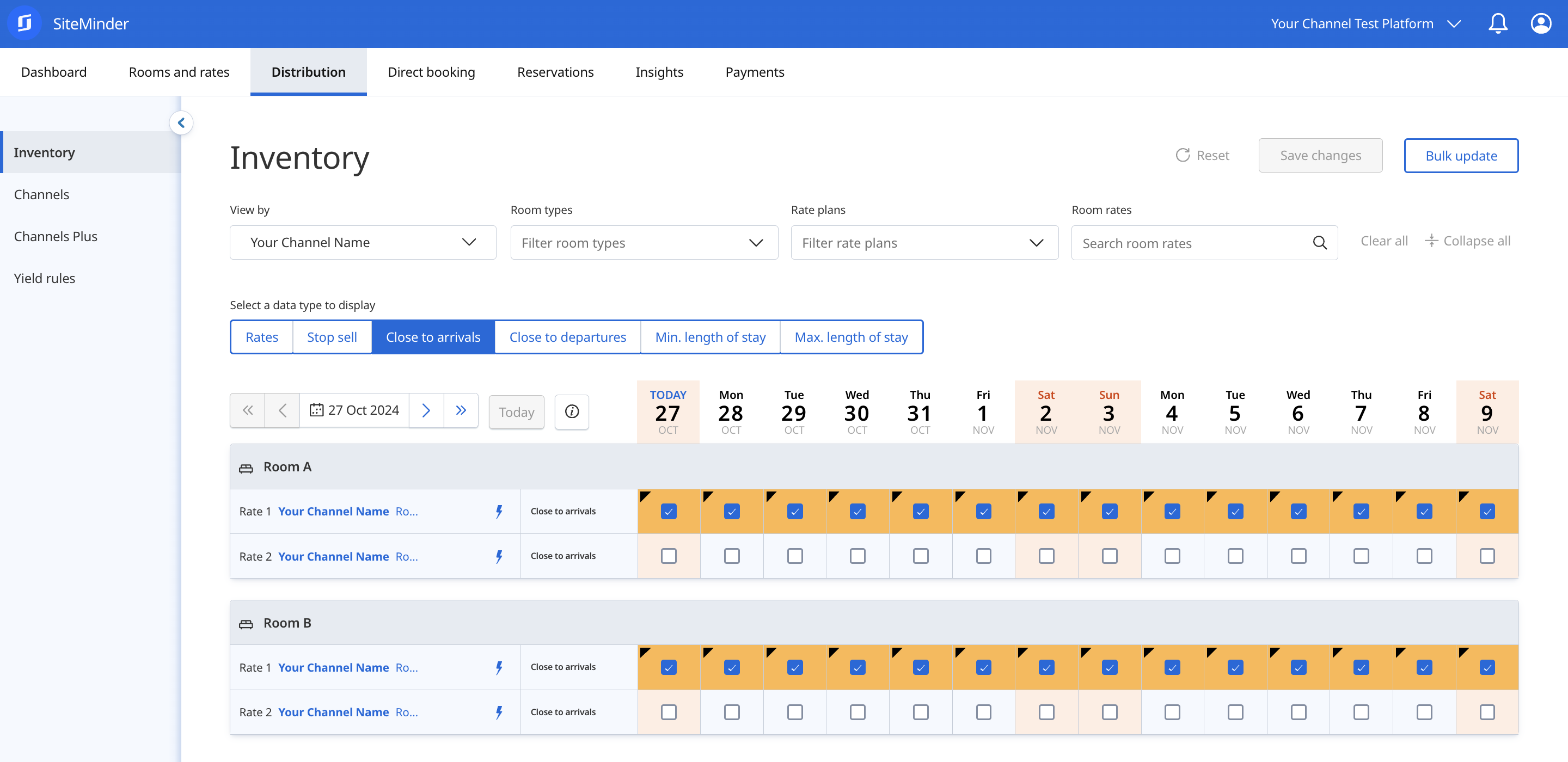
Set close to arrival for all four room rates starting from today, covering the update period supported by your booking channel (e.g., 750 days).
| Room Type | Rate Plan | Date | CTA |
| --------- | --------- | ------------------ | -------- |
| Room A | Rate 1 | Full Update Period | Enabled |
| Room A | Rate 2 | Full Update Period | Disabled |
| Room B | Rate 1 | Full Update Period | Enabled |
| Room B | Rate 2 | Full Update Period | Disabled |
### **- Close to Departure (CTD)**
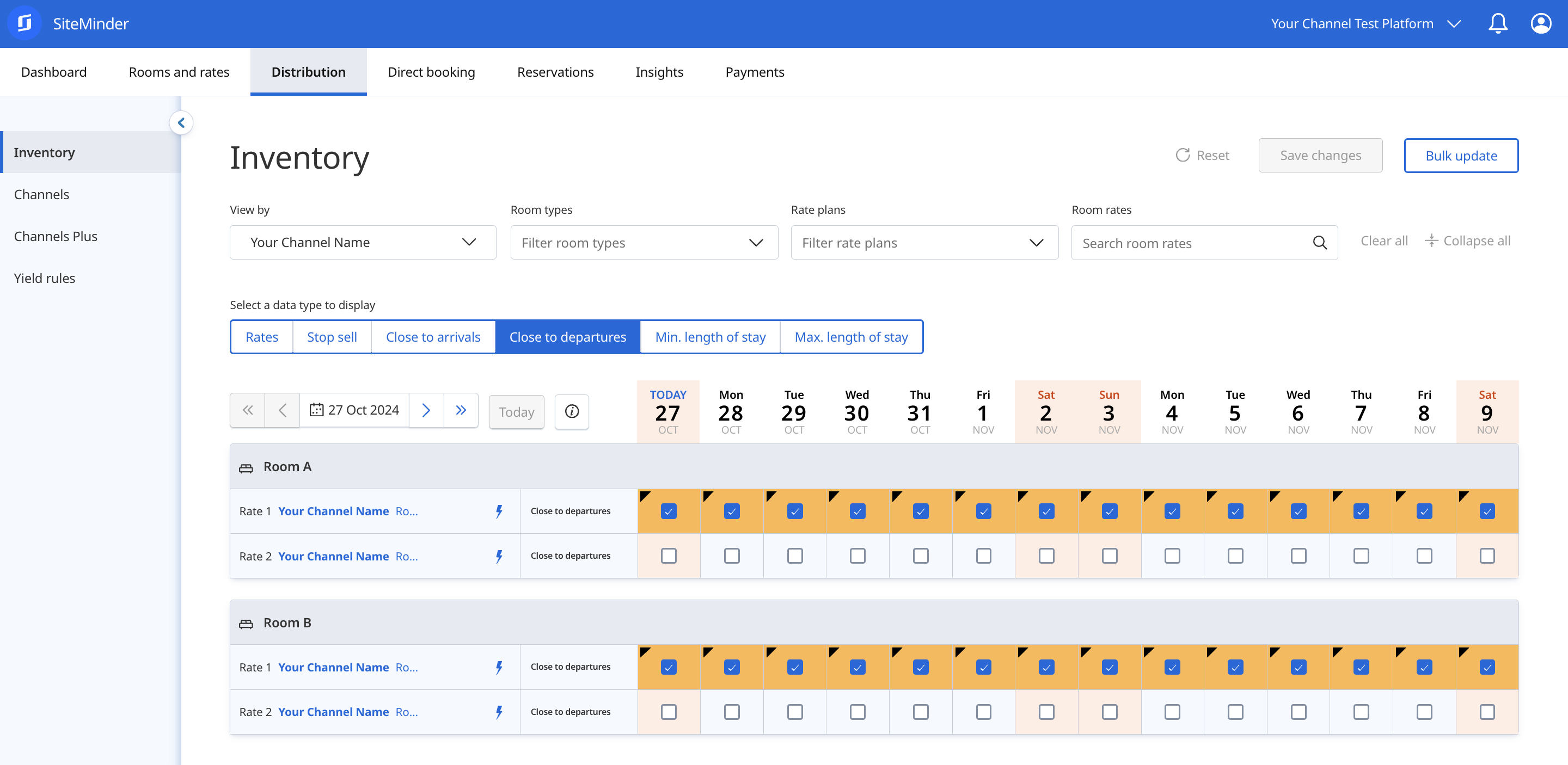
Set close to departure for all four room rates starting from today, covering the update period supported by your booking channel (e.g., 750 days).
| Room Type | Rate Plan | Date | CTD |
| --------- | --------- | ------------------ | -------- |
| Room A | Rate 1 | Full Update Period | Enabled |
| Room A | Rate 2 | Full Update Period | Disabled |
| Room B | Rate 1 | Full Update Period | Enabled |
| Room B | Rate 2 | Full Update Period | Disabled |
### **- Minimum Stay**
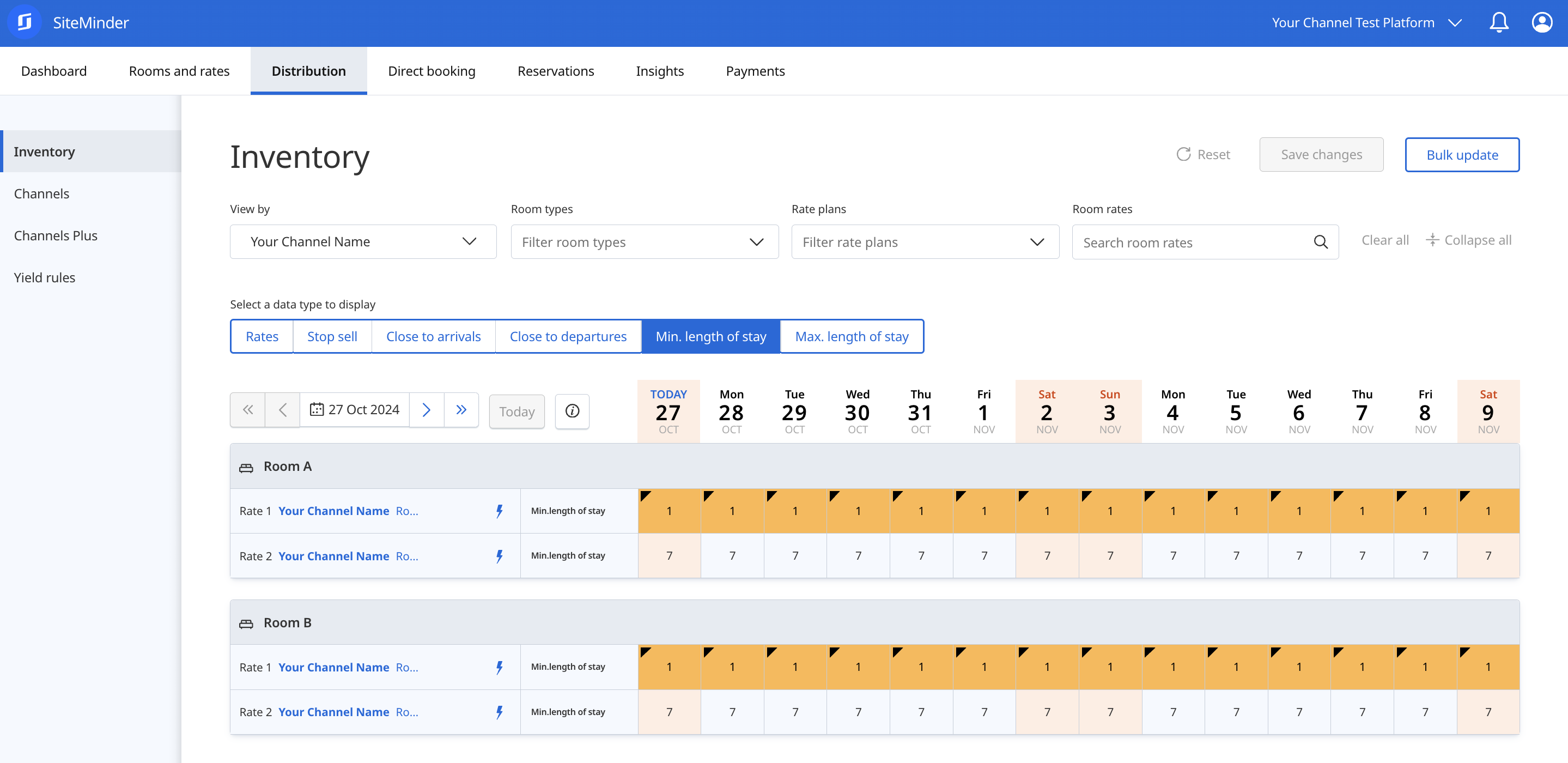
Set minimum stay for all four room rates starting from today, covering the update period supported by your booking channel (e.g., 750 days).
| Room Type | Rate Plan | Date | Min. Stay |
| --------- | --------- | ------------------ | --------- |
| Room A | Rate 1 | Full Update Period | 1 |
| Room A | Rate 2 | Full Update Period | 7 |
| Room B | Rate 1 | Full Update Period | 1 |
| Room B | Rate 2 | Full Update Period | 7 |
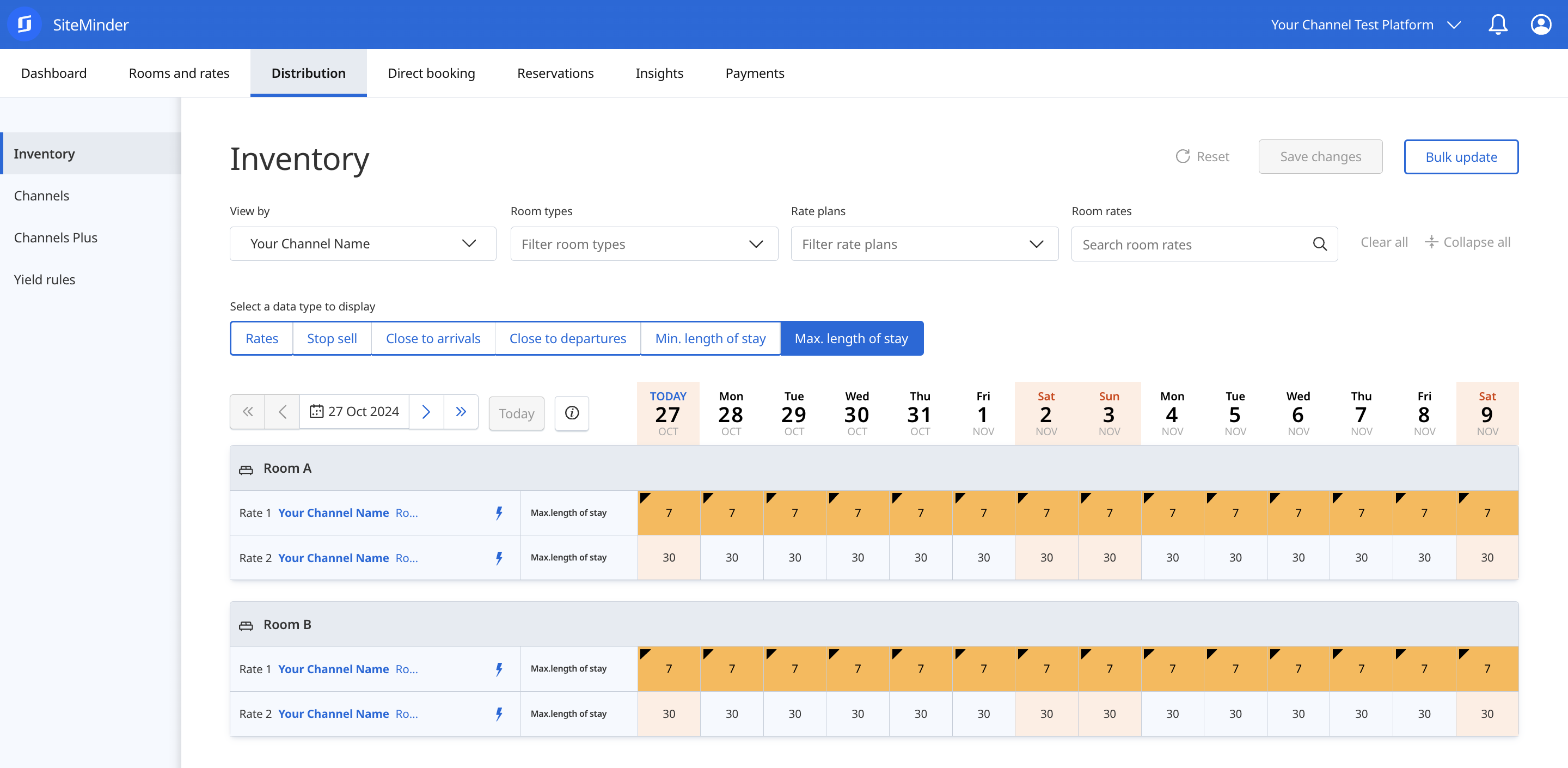
### **- Maximum Stay**
Set maximum stay for all four room rates starting from today, covering the update period supported by your booking channel (e.g., 750 days).
| Room Type | Rate Plan | Date | Max. Stay |
| --------- | --------- | ------------------ | --------- |
| Room A | Rate 1 | Full Update Period | 7 |
| Room A | Rate 2 | Full Update Period | 30 |
| Room B | Rate 1 | Full Update Period | 7 |
| Room B | Rate 2 | Full Update Period | 30 |
{% hint style="info" %}
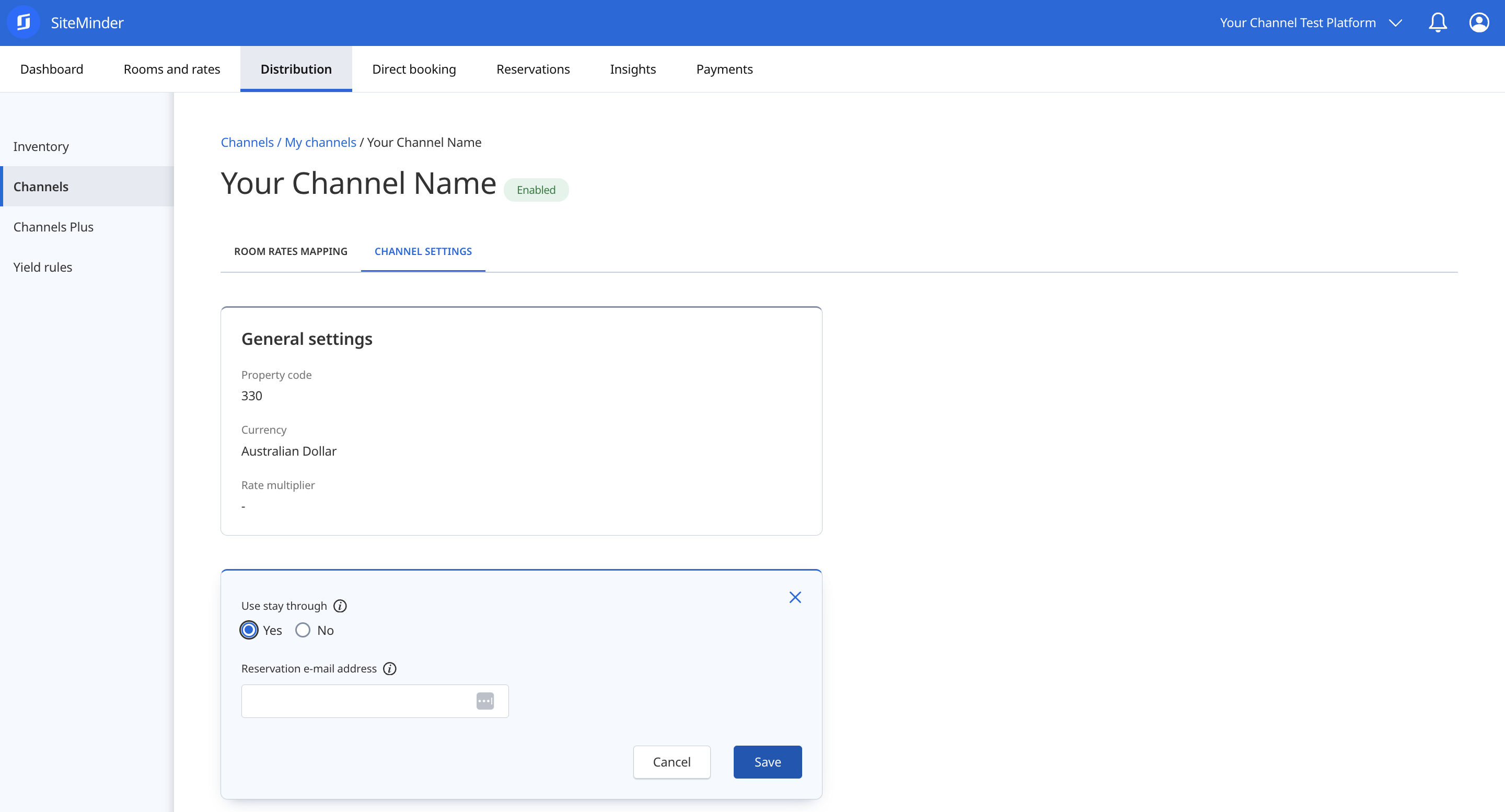
Min. Stay and Max. Stay are by default configured on Arrival (`SetMinLOS` and `SetMaxLOS`). To switch to Min. Stay Through and Max. Stay Through (`SetForwardMinStay` and `SetForwardMaxStay`) set **Use stay through** to `Yes` in your `Channel Settings`.
{% endhint %}
{% hint style="info" %}
Use the `View by` and `Select a data type to display` options to easily review changes made on your test platform.
{% endhint %}
{% tabs %}
{% tab title="Availability" %}
{% endtab %}
{% tab title="Rates" %}
{% endtab %}
{% tab title="Stop Sell" %}
{% endtab %}
{% tab title="CTA" %}
{% endtab %}
{% tab title="CTD" %}
{% endtab %}
{% tab title="Min. Stay" %}
{% endtab %}
{% tab title="Max. Stay" %}
{% endtab %}
{% endtabs %}
{% hint style="success" %}
To successfully complete this scenario, your booking channel must have accepted and processed the Availability, Restrictions, and Rates updates sent. Your system must display the same data as your test Platform.
{% endhint %}
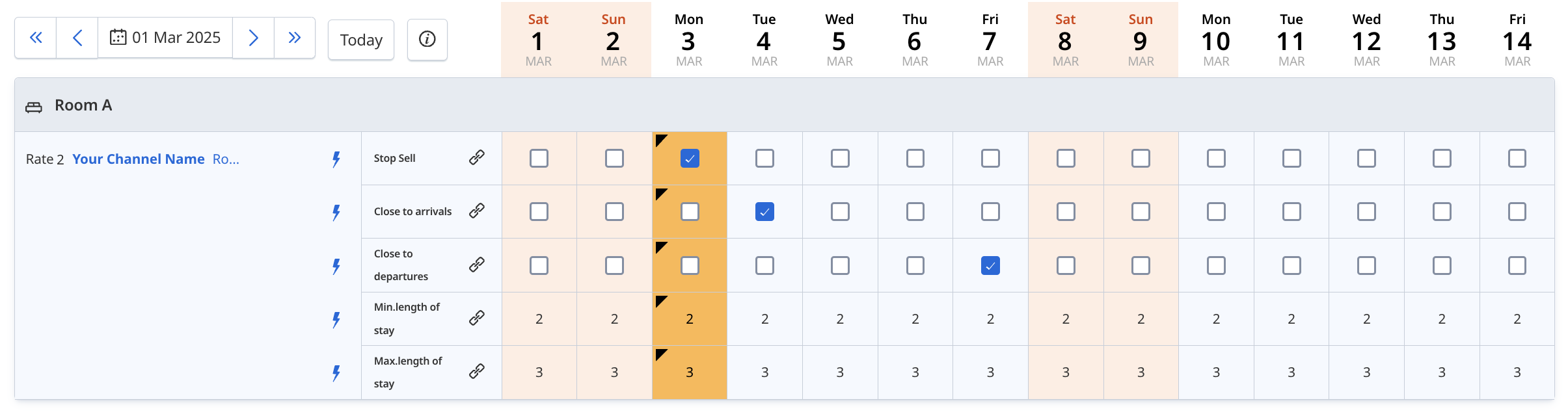
### 4. Targeted Data Update
This scenario tests updates where only specific data points, like a single rate change or availability adjustment, are sent for a short period, verifying the system’s ability to handle minimal data updates efficiently and accurately.
To complete this scenario, first select any future month within the next year. Then, for each specified day in the table (e.g., Day 1, Day 2, Day 5), apply the changes using the corresponding dates within that chosen month. For example, if you select March, use March 1 for Day 1, March 2 for Day 2, and March 5 for Day 5.
### - Availability
Set availability for the following room type and date.
| Room Type | Date | Availability |
| --------- | ----- | ------------ |
| Room A | Day 1 | 0 |
### - Restrictions
Set restrictions for the following room rates and dates.
| Room Type | Rate Plan | Date | Restriction |
| --------- | --------- | --------------- | ---------------- |
| Room A | Rate 2 | Day 3 | Enable Stop Sell |
| Room A | Rate 2 | Day 4 | Enable CTA |
| Room A | Rate 2 | Day 7 | Enable CTD |
| Room A | Rate 2 | Day 1 to Day 28 | Min. Stay to 2 |
| Room A | Rate 2 | Day 1 to Day 28 | Max. Stay to 3 |
### - Rates
Set rates for the following room rates and dates.
| Room Type | Rate Plan | Date | Value |
| --------- | --------- | ---------------- | ----- |
| Room A | Rate 2 | Day 15 to Day 17 | 200 |
| Room A | Rate 2 | Day 18 | 300 |
| Room A | Rate 2 | Day 20 to Day 21 | 350 |
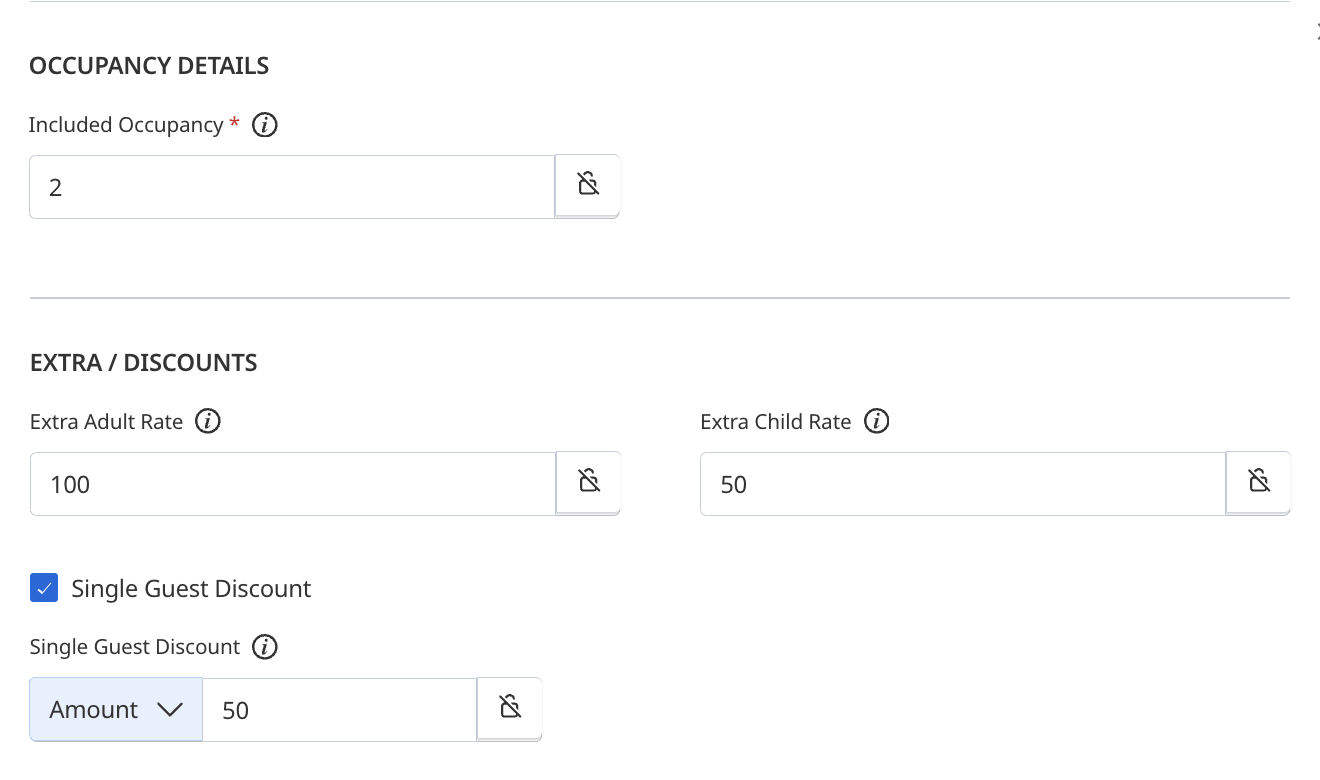
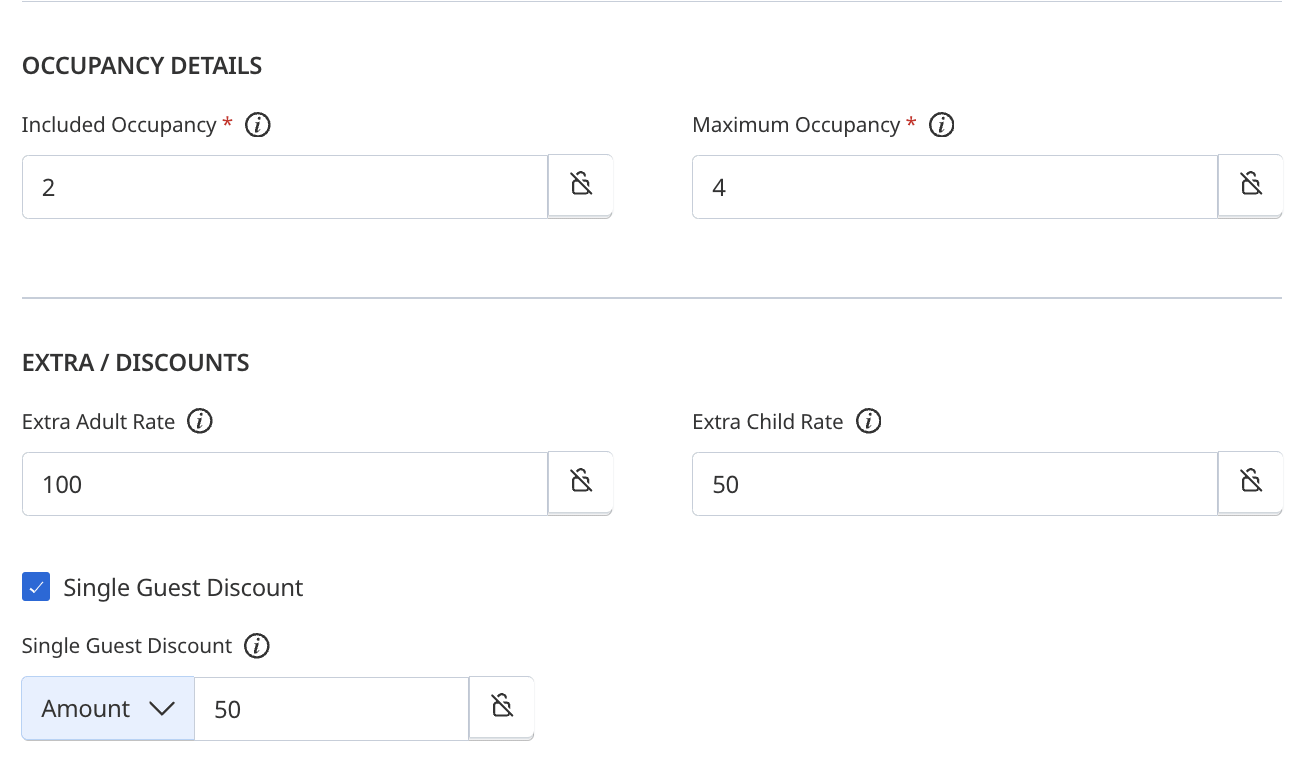
If your booking channel supports `Occupancy Details`, `Extra / Discounts` and `Channel Inclusions`, ensure that the received rate data is processed accordingly. Below are the expected outcomes for both pricing models: `Per Day Pricing` and `Occupancy Based Pricing` using the rate update for the `Room A - Rate 2` on the `Day 18` for `300` as an example:
{% tabs %}
{% tab title="Per Day Pricing" %}
{% endtab %}
{% tab title="Rate Update XML " %}
```xml
Contemporary Apartment with private balcony or courtyard. Large living and dining area with fully equipped kitchen. Features a separate bedroom and bathroom and laundry facilities.
```
{% endtab %}
{% tab title="Values" %}
| Rate for 1 adult | 250 |
| ----------------- | ------------------------------------------------------------------------------------------------------------------------------------------------------------------------------------ |
| Rate for 2 adults | 300 |
| Rate for 3 adults | 400 |
| Rate for 4 adults | 500 |
| Rate for 5 adults | 600 |
| Extra Child Rate | 50 |
| Inclusions | Contemporary Apartment with private balcony or courtyard. Large living and dining area with fully equipped kitchen. Features a separate bedroom and bathroom and laundry facilities. |
| {% endtab %} | |
| {% endtabs %} | |
{% tabs %}
{% tab title="Occupancy Based Pricing" %}
{% endtab %}
{% tab title="Rate Update XML " %}
```xml
Contemporary Apartment with private balcony or courtyard. Large living and dining area with fully equipped kitchen. Features a separate bedroom and bathroom and laundry facilities.
```
{% endtab %}
{% tab title="Values" %}
| Rate for 1 adult | 250 |
| ----------------- | ------------------------------------------------------------------------------------------------------------------------------------------------------------------------------------ |
| Rate for 2 adults | 300 |
| Rate for 3 adults | 400 |
| Rate for 4 adults | 500 |
| Rate for 5 adults | Maximum Occupancy is 4 |
| Extra Child Rate | 50 |
| Inclusions | Contemporary Apartment with private balcony or courtyard. Large living and dining area with fully equipped kitchen. Features a separate bedroom and bathroom and laundry facilities. |
| {% endtab %} | |
| {% endtabs %} | |
{% hint style="success" %}
To successfully complete this scenario, your booking channel must have accepted and processed the Availability, Restrictions, and Rates updates sent. Your system must display the same data as your test Platform.
{% endhint %}
### 5. Reservations
Based on the data pushed to your booking channel during the `Bulk Data Update` and `Targeted Data Update`, you are required to complete the following test scenarios. All successfully created bookings must contain the maximum amount of data your booking channel can handle, including guest and customer details, services, guarantee and deposit information, credit card or virtual credit card information, and more. Any data not received will be deemed as not supported by your booking channel.
Refer to the [Reservations](/siteconnect-api/reference/reservations.md) section for further details.
{% hint style="warning" %}
For security reasons, always use test credit card details and never real ones when testing reservations. Refer to [Test Credit Cards](/siteconnect-api/additional-resources/reference-tables/test-credit-cards.md).
{% endhint %}
### **- Booking Limit and Restrictions**
This scenario tests your system’s ability to prevent bookings that don’t meet availability or restriction criteria, verifying that it accurately enforces rules to block reservations when availability or restrictions don’t permit them.
| Reservation | Room Type | Rate Plan | Check in | Check out | Reason |
| ----------- | --------- | --------- | -------- | --------- | ------------ |
| Attempt 1 | Room A | Rate 2 | Day 1 | Day 3 | Availability |
| Attempt 2 | Room A | Rate 2 | Day 2 | Day 4 | Stop Sell |
| Attempt 3 | Room A | Rate 2 | Day 4 | Day 6 | CTA |
| Attempt 4 | Room A | Rate 2 | Day 5 | Day 7 | CTD |
| Attempt 5 | Room A | Rate 2 | Day 8 | Day 9 | Min. Stay |
| Attempt 6 | Room A | Rate 2 | Day 10 | Day 14 | Max. Stay |
### - Daily Rates
This scenario tests your system’s ability to provide a rate breakdown within the `RoomRates` element. Create the following test reservations:
| Reservation | Room Type | Rate Plan | Check in | Check out | Comment |
| ----------- | --------- | --------- | -------- | --------- | ------------------------- |
| Booking 01 | Room A | Rate 2 | Day 15 | Day 18 | Same Value per Night |
| Booking 02 | Room A | Rate 2 | Day 17 | Day 20 | Different Value per Night |
| Booking 03 | Room A | Rate 2 | Day 19 | Day 22 | Combined |
{% hint style="info" %}
If your booking channel doesn't provide `Daily Rates`, still create the reservations with the requested room type, rate plan, check in and check out dates.
{% endhint %}
### - Multi Room
This scenario tests your system’s ability to provide reservations with two or more rooms for the same date range and/or consecutive days within the `RoomStays` element. Create the following test reservations:
| Reservation | Room Type | Rate Plan | Check in | Check out |
| ----------- | --------- | --------- | -------- | --------- |
| Booking 04 | Room A | Rate 2 | Day 22 | Day 28 |
| | Room B | Rate 2 | Day 22 | Day 28 |
| Reservation | Room Type | Rate Plan | Check in | Check out |
| ----------- | --------- | --------- | -------- | --------- |
| Booking 05 | Room A | Rate 2 | Day 22 | Day 25 |
| | Room B | Rate 2 | Day 25 | Day 28 |
{% hint style="info" %}
If your booking channel doesn't support `Multi Room` reservations, ignore the reservation Booking 04, but still create the reservations Booking 05 using the same room type.
{% endhint %}
### - Modifications
Modify the following test reservations.
| Reservation | Action | Comment |
| ----------- | ------------------ | -------------------- |
| Booking 01 | Remove one night | New check out Day 17 |
| Booking 02 | Add one night | New check out Day 21 |
| Booking 04 | Remove Room B | Only Room A remains |
| Booking 05 | Change Room A to B | Both are Room B |
### - Cancellations
Cancel the following test reservations.
| Reservation | Action |
| ----------- | ------ |
| Booking 01 | Cancel |
| Booking 03 | Cancel |
| Booking 05 | Cancel |
{% hint style="success" %}
To successfully complete this scenario, you must have created and sent reservation requests for each test: Daily Rates, Multi Rooms, Modifications, and Cancellations. Our system must display reservation data consistent with your booking channel.
{% endhint %}
### 6. Error Handling
To assist you in testing the [Error Handling](/siteconnect-api/guides/error-handling.md), use the Postman collection `SiteConnect - Error Handling`. Follow the steps below to begin your testing process.
**Step 1 -** If you haven't already, fork the relevant collection from
**Step 2 -** Update the `SiteConnect` environment with your specific details.
**Step 3 -** Select `Run Collection`.
**Step 4 -** Choose the scenarios you need to run based on whether you’re testing PDP or OBP. Also, set a `Delay` of 2000 ms, enable `Persist responses for a session`, and then select `Run SiteConnect - Error Handling`.
**Step 5 -** After running the collection, a summary will display showing which scenarios passed or failed.
**Step 6 -** Click `View Results` to see more details on each individual test, including the `Request` sent and the `Response` received.
For more details on using Postman, see the articles [Test your API using the Collection Runner](https://learning.postman.com/docs/collections/running-collections/intro-to-collection-runs/).
{% hint style="success" %}
To successfully complete this scenario, you must execute each error handling test in the provided Postman collection. Ensure that your system correctly identifies and responds to errors as specified, with responses consistent with the expected descriptions.
{% endhint %}
## Final Steps
Once all scenarios have passed, notify the Partner Integrations team. We will review your results and confirm when you can proceed to certification. If any issues are identified during the review, we will reach out to you directly to resolve them before moving forward.
{% hint style="success" icon="sparkles" %}
## Still have questions?
Use the :gitbook-assistant: **Ask** button at the top of the page to chat with our AI assistant — it can help you navigate the guide, understand requirements, and troubleshoot issues.
If you need more support, visit [Integration Support](/integration-support/integration-support.md).
{% endhint %}
---
# Agent Instructions
This documentation is published with GitBook. GitBook is the documentation platform designed so that both humans and AI agents can read, navigate, and reason over technical content effectively. Learn more at gitbook.com.
## Querying This Documentation
If you need additional information that is not directly available in this page, you can query the documentation by asking a question.
Perform an HTTP GET request on the following URL with the `ask` and `goal` query parameters:
```
GET https://developer.siteminder.com/siteconnect-api/guides/testing-and-certification.md?ask=&goal=
```
`ask` is the immediate question: it should be specific, self-contained, and written in natural language.
`goal` is what the user is ultimately trying to achieve, the reason they need the answer. Sharing it helps GitBook give you a better, more relevant answer. A goal is most helpful when it describes the outcome the user wants rather than restating the question. For example, with `ask=how do I create an API token`, a goal like `automate deployments from our CI pipeline` lets GitBook tailor the answer to that use case.
The response will contain a direct answer to the question and relevant excerpts and sources from the documentation.
Use this mechanism when the answer is not explicitly present in the current page, you need clarification or additional context, or you want to retrieve related documentation sections.